 Fellow Canadians: All inFlow plans are available in Canadian dollars




 Home
Home


I’m getting an error when inviting a team member to inFlow!
As your company expands, you might need to add more team members to inFlow to keep up with sales. If you encounter any issues while adding a team member, refer to the solutions below.
Adding someone who has an inFlow account error
If you see “You’re trying to add someone who already has an inFlow account” when trying to add a team member, it means that their email is already associated with an inFlow account, possibly from a previous trial.
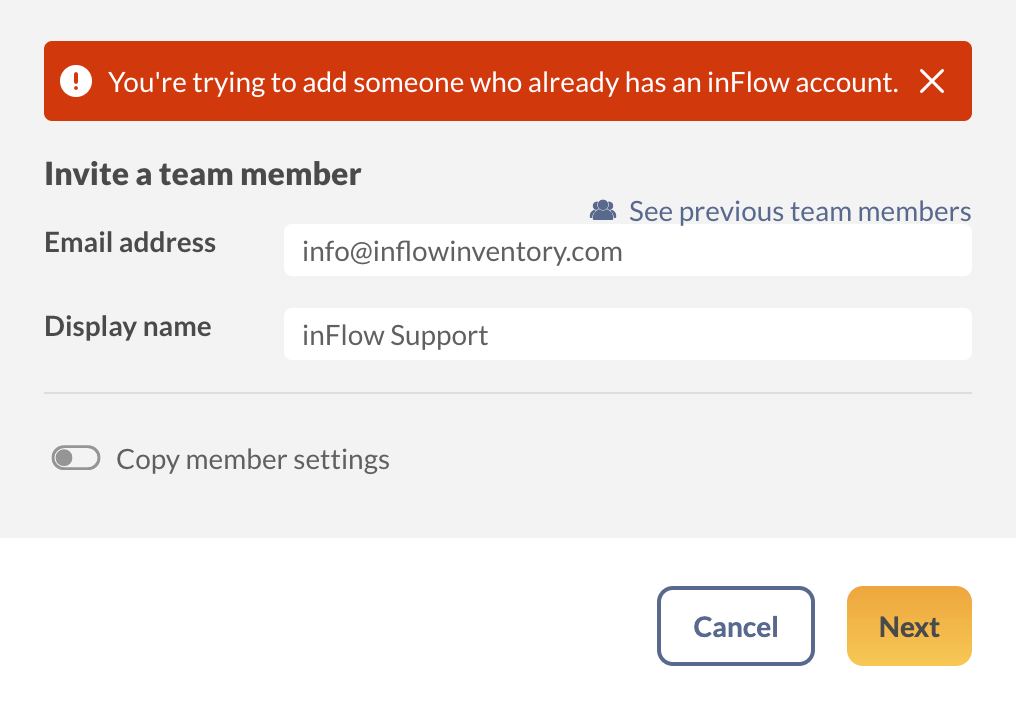
If they have an inactive inFlow trial
If the person you are inviting to work on your team has allowed their inFlow trial to expire, kindly request them to contact the inFlow team from the email address they used earlier to free up their email address.
If they have an active inFlow trial
If your colleague has an active inFlow trial, they can make this change for themselves. To do so, have them follow the steps below:
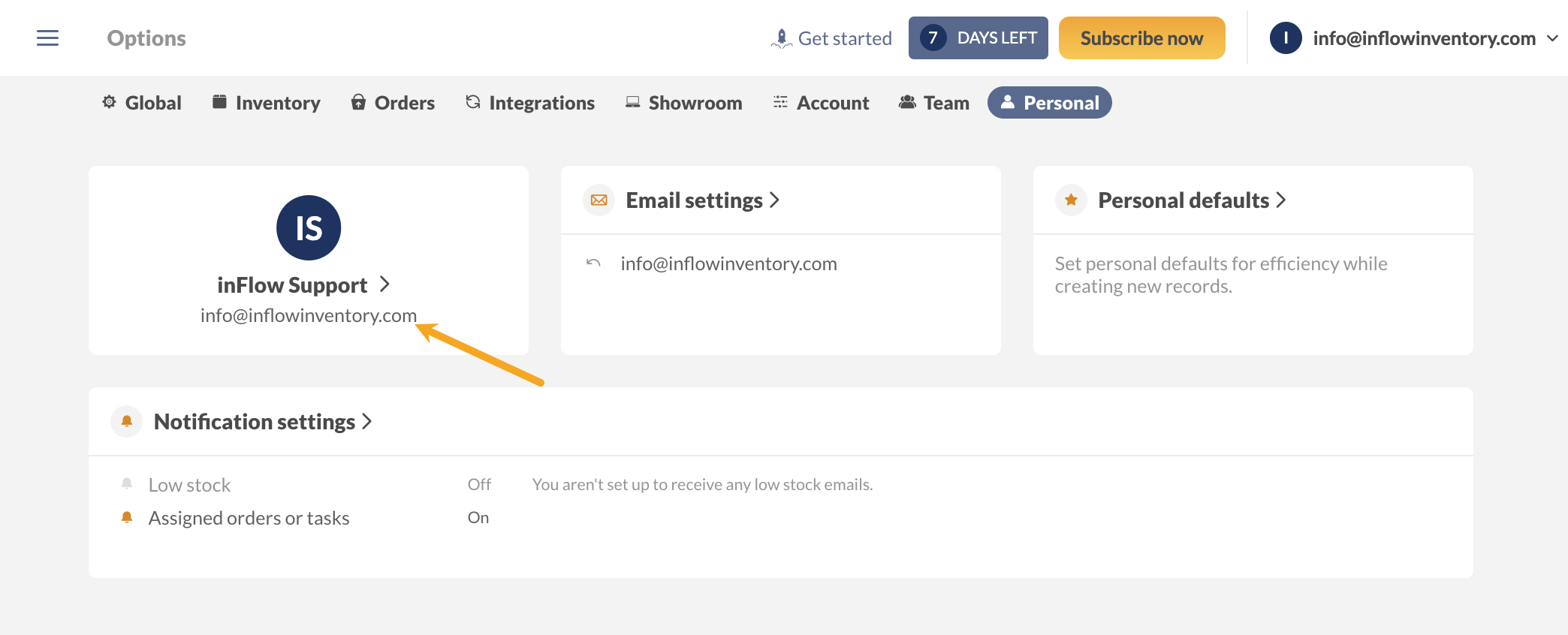
- Open the Personal settings in inFlow (Main Menu> Options > Select the Personal tab.)
- Select the tile that lists the username and email address.
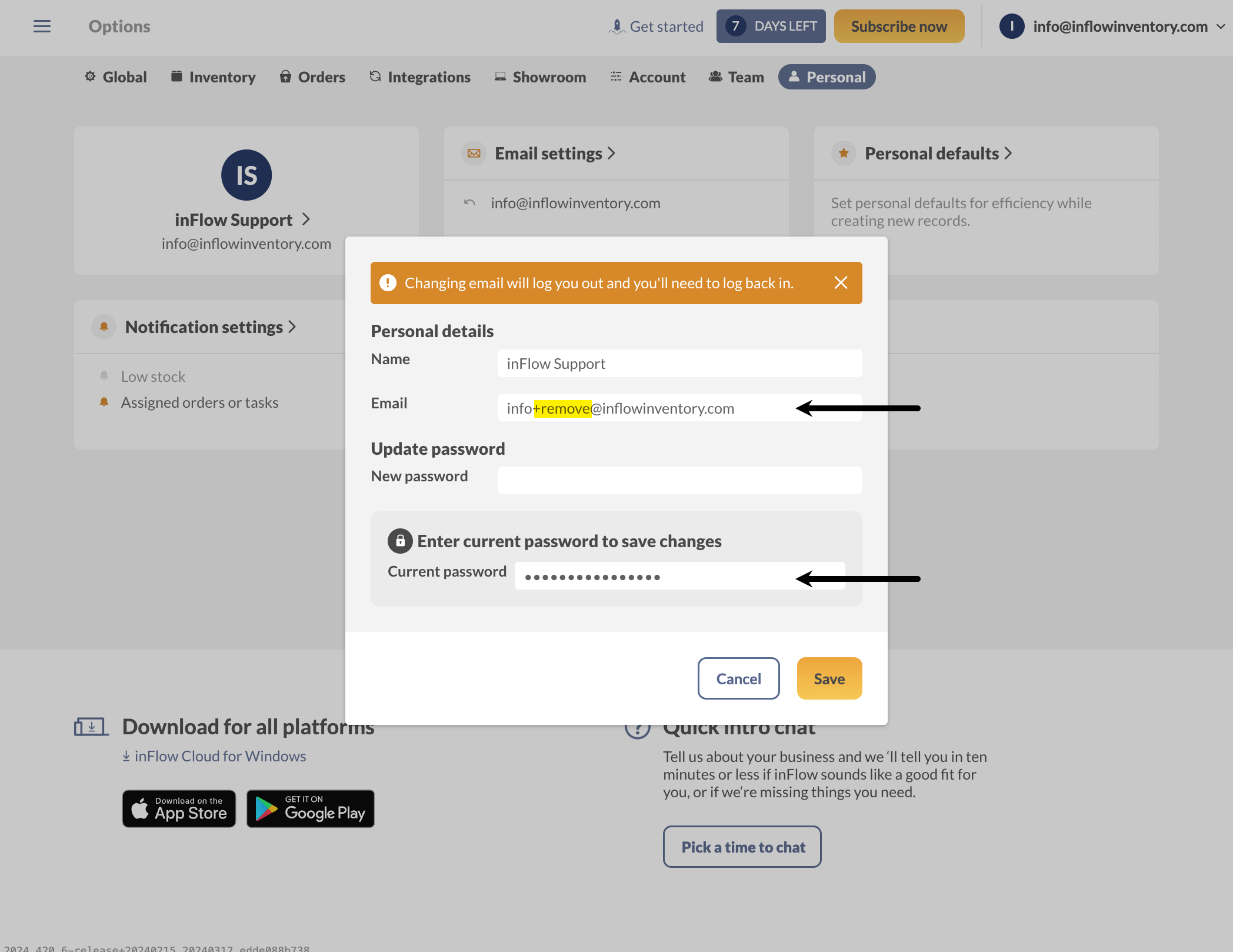
- Add “+remove” to your email address.
- Enter your account password below, then click Save.
inFlow will reload to the login screen, and your email address will be available to be added to another inFlow account.
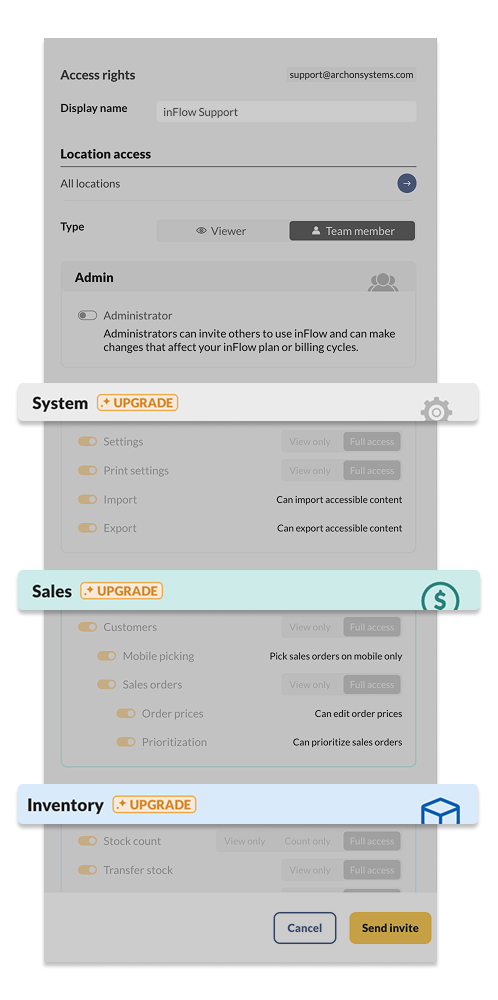
Why can’t I edit the team member access rights?
Access rights allow you to control which features are available to other members of your inFlow team.
If you notice the word Upgrade next to certain features in the access rights section, you can contact your Customer Success Manager to discuss upgrading your inFlow plan.
 Yes, thanks!
  Not really

Our account allows 2 team members. I am trying to set up another team member. I insert their email and name, when I hit next, on the next page under permissions, it is telling me to upgrade. Its not on Viewer, its not on sample mode. I have done everything correct. The only thing it allows the to shift the administrator on / off, but no other permissions are accessible.