 Fellow Canadians: All inFlow plans are available in Canadian dollars




 Home
Home


How to create a purchase order from a sales order
If you need to order products for your customer and create a purchase order that reflects their sale, inFlow can assist you.
Web
Creating a purchase order from a sales order
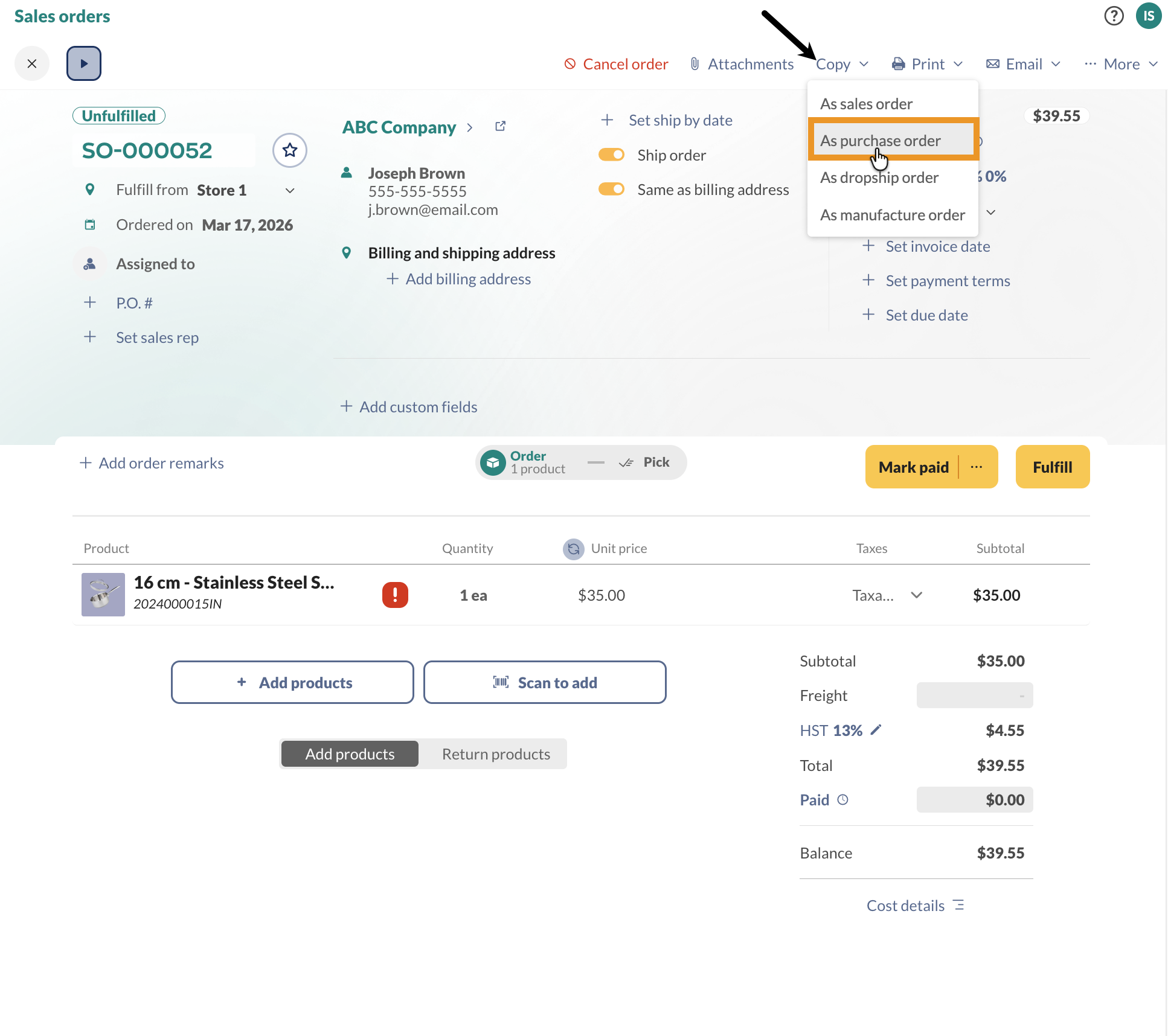
- Open a sales order, and click Copy.
- Select As a purchase order.
- In the pop-up window, select the vendor to create the purchase order.
- A new order will be created. Click Close to stay on the sales order, or Open in new tab to open the new purchase order.
Reordering from a sales order
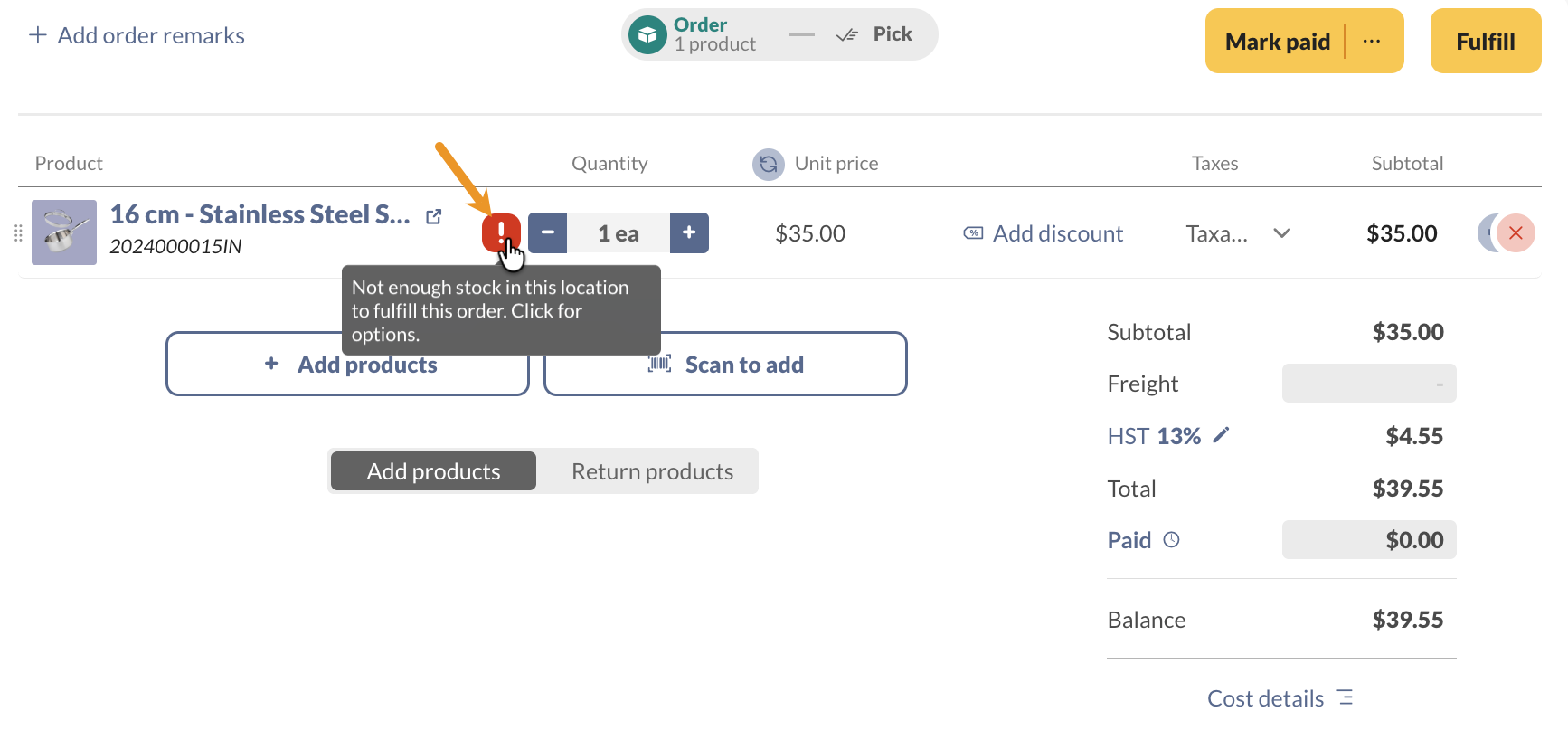
To reorder a product that isn’t in stock, click on the exclamation mark, then click Reorder.
Windows
Creating a purchase order from a sales order
- Click Copy and choose Create PO.
- Select the correct vendor.
- Click Save.
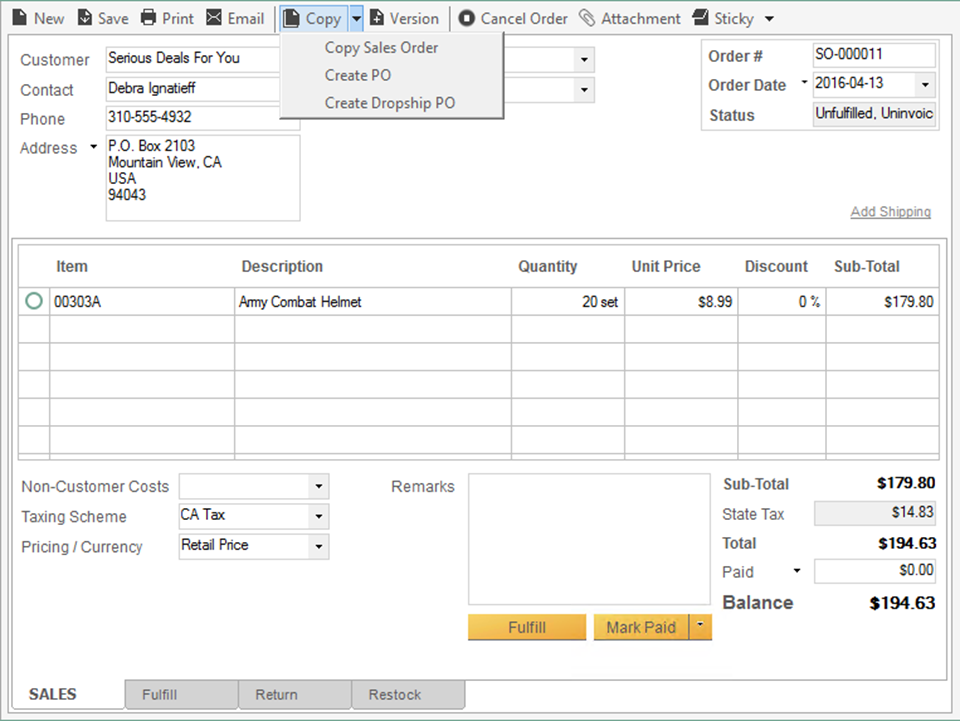
You can also choose to create a purchase order if you do not have enough stock to cover the order. This is easily done by right-clicking on the exclamation mark, which will appear to warn you of your stock levels.
 Yes, thanks!
  Not really


0 Comments