 Fellow Canadians: All inFlow plans are available in Canadian dollars



 Home
Home


How to update the payment method on your inFlow account
When the credit card on your inFlow account needs to be updated or changed, inFlow admins can quickly make this change in the Account settings so there’s no interruption in service. See below for full steps.
inFlow account settings
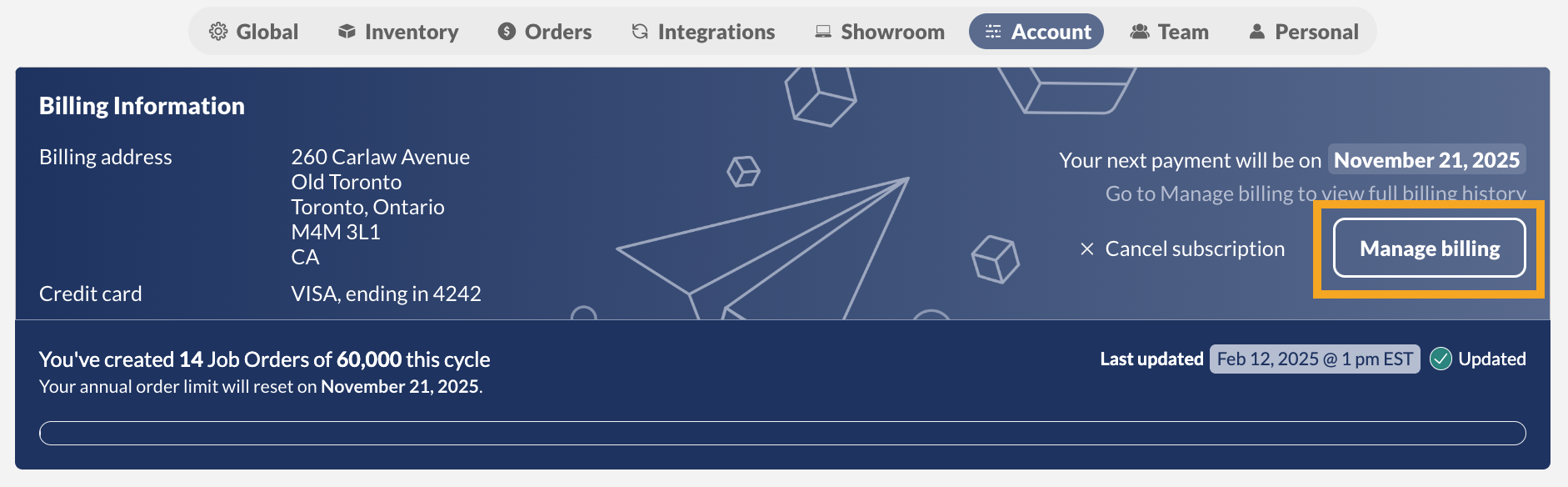
- Go to inFlow’s Account settings (from the Main Menu, hover over the Settings icon
 , then select Account).
 - In the Billing Information section, select Manage billing, where you’ll be directed to the inFlow payment portal.
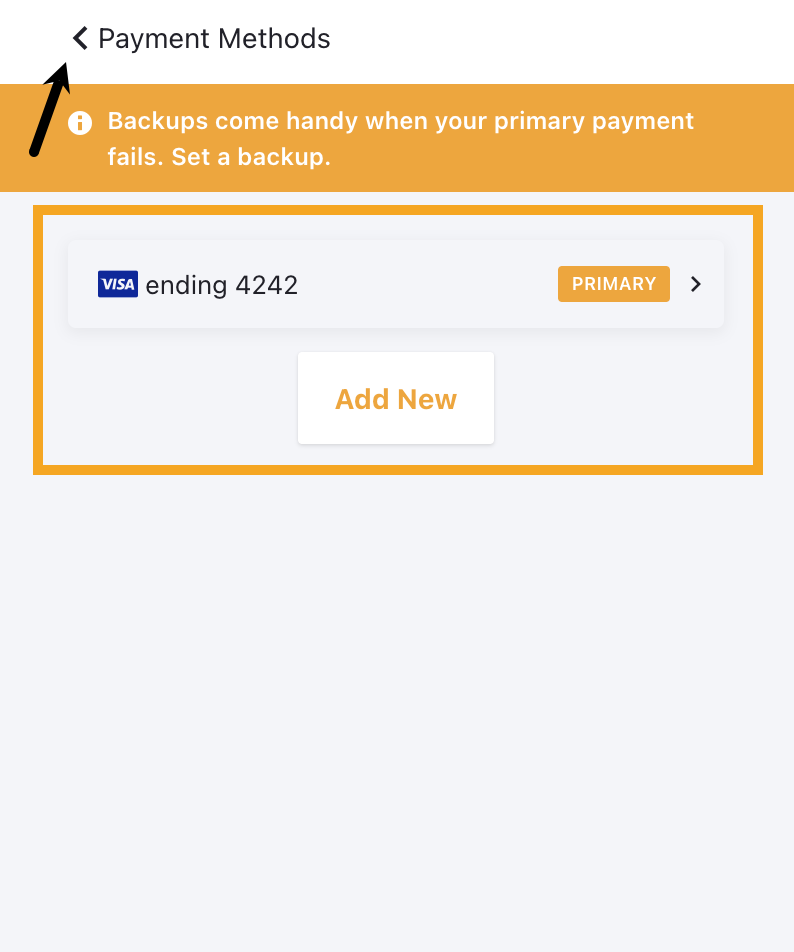
- Click on Payment Methods, then click on the existing credit card to edit the details or click on Add new.
- Click on the back arrow to return to the Manage Subscriptions page, and click Exit to return to inFlow.
Direct Debit Authorization
- Go to the inFlow account settings (From the Main Menu, hover over the Settings icon , then select Account).
- In the Billing Information section, select Manage billing.
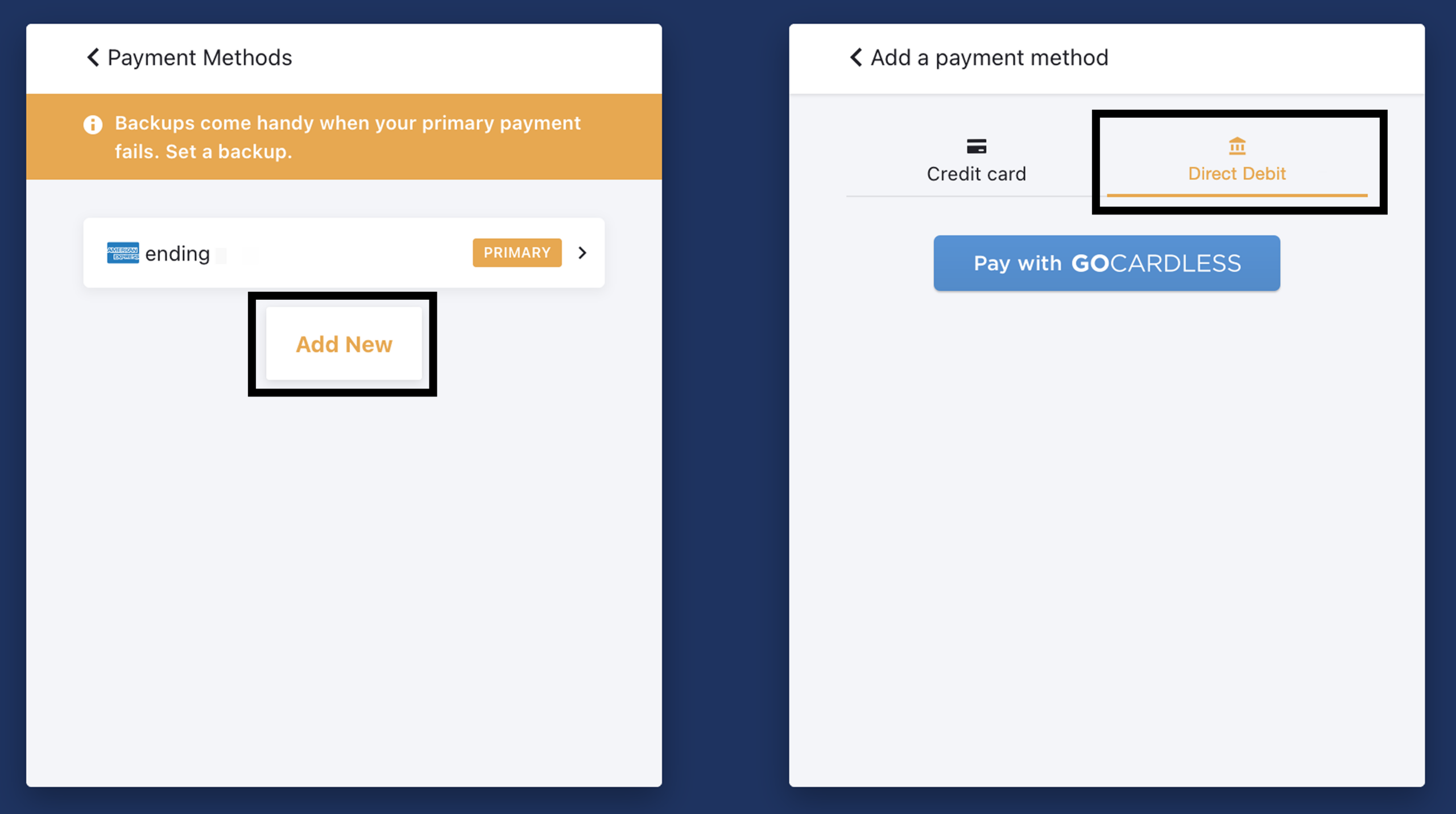
- Select Add New
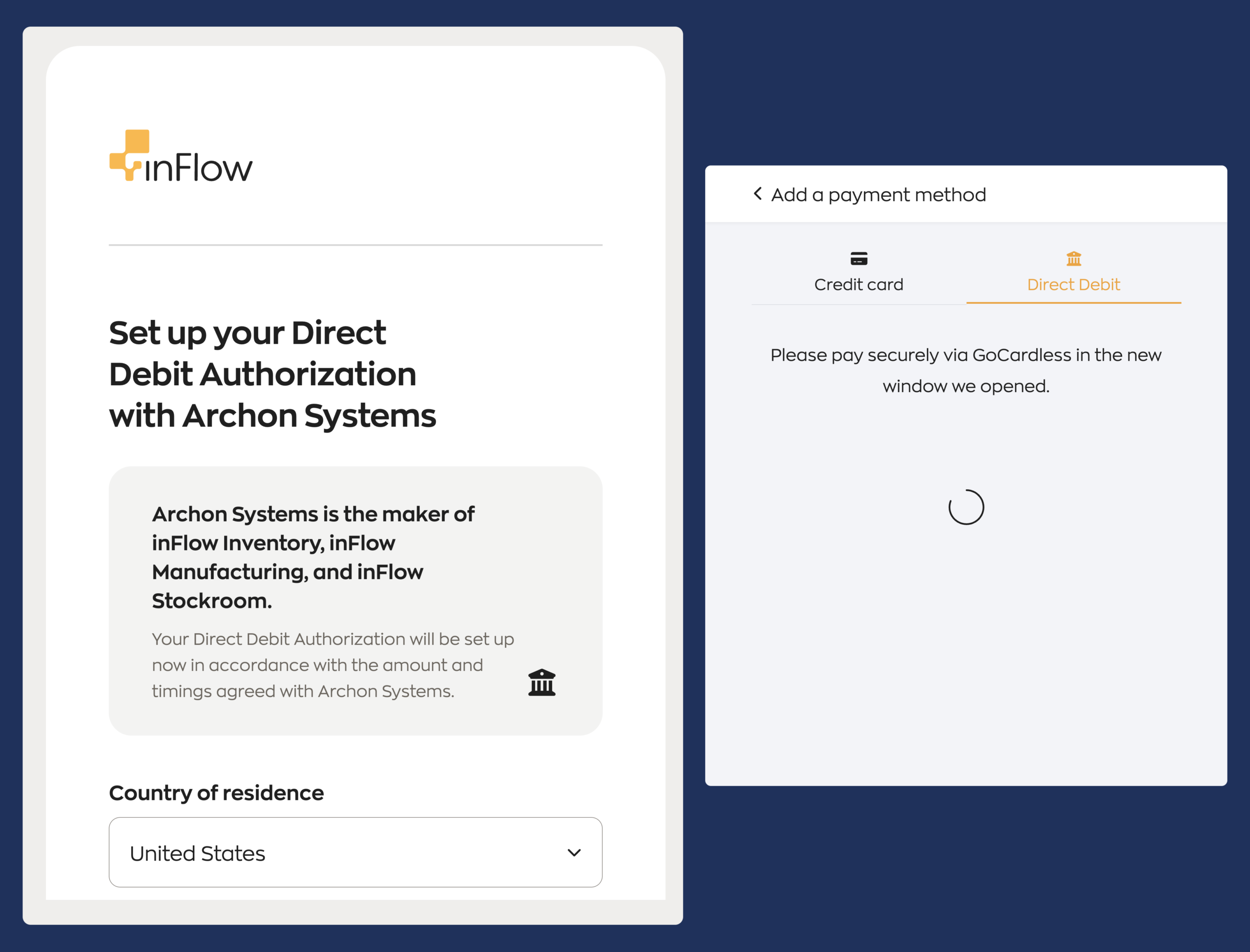
- Select your local Direct payment option and select Pay with GoCardless
- Enter banking details
Customers in the United States, Canada, the United Kingdom, and Europe can pay for plans using credit cards or direct debit.
 Yes, thanks!
  Not really

0 Comments