 Fellow Canadians: All inFlow plans are available in Canadian dollars





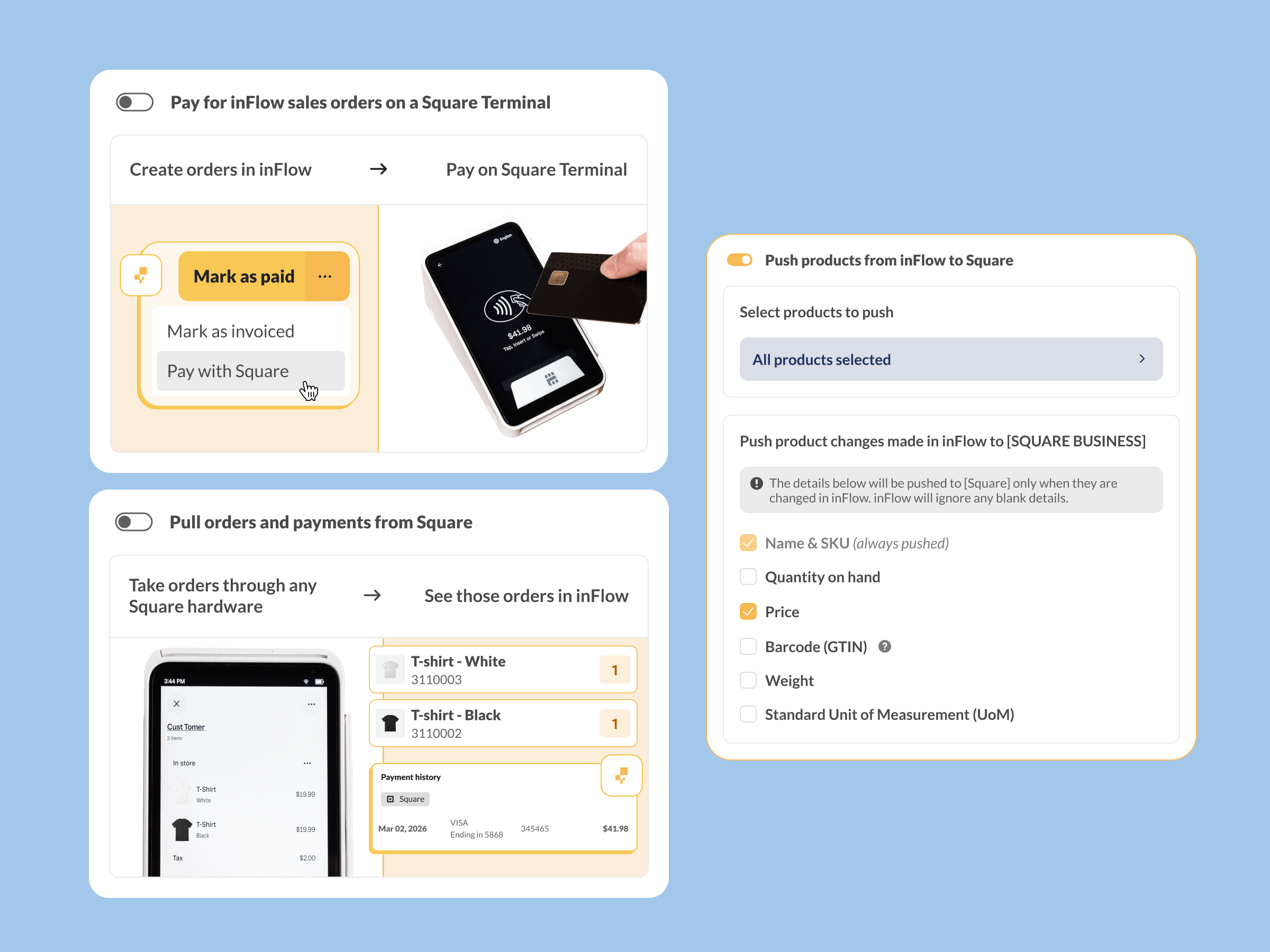
We’ve added a new type of integration to inFlow to take payments with Square. Now the sales you make in person can sync up with the rest of your online orders and inventory.
If you ring up orders at a counter or out in the field, you’ve probably been doing the same work twice: taking the payment in Square, then re-entering the order in inFlow to keep your stock levels right. Those duplicate entries are easy to get wrong and a pain to keep up with.
If you prefer video, we’ve prepped a quick look with Abishai and Shivani, two of the inFlow team members who brought this Square integration to life.

Two ways to work with Square payments
Now you can connect inFlow to Square. There are two ways to use the integration, and you can turn on one or both:
- Pay for inFlow orders on a Square Terminal. Create a sales order in inFlow, then take debit or credit card payment on your Square Terminal. You take advantage of the easy in-person payments enabled by the Square Terminal, and inFlow stays your source of truth for what’s been paid for and what’s been taken out of stock.
- Pull completed orders from Square. You can process and pay for orders entirely in Square and inFlow will adjust your inventory levels automatically. The Square integration works alongside inFlow’s existing ecommerce integrations, so you can see all of your online and offline sales in one place.
Benefits for Square users who don’t use inventory software
Square’s a payment platform first and foremost, so although it can help with basic inventory tracking, it simply isn’t its specialty. Here are a few areas where inFlow brings new capabilities to Square users:
Serials, lot numbers, and expiry dates. If you need to track serialized, batched, or lot-tracked products, then you can still handle payments in Square and track all the product details in inFlow.
Stay ahead of stockouts. Running out of stock can turn your customer into someone else’s. Avoid stockouts with reorder points and low-stock notifications and keep sales flowing.
Receive and fulfill from your phone. inFlow offers iPhone and Android apps for fulfilling orders, receiving products, and checking stock.
Our Square integration is available for all current customers and trialers of inFlow Inventory and inFlow Manufacturing.
If you’re already using inFlow, head to your integration settings in the web app to connect your Square account. For a full walkthrough, see our Connecting inFlow to Square support article.
And if you’re not using inFlow yet, connecting your Square account to your inventory could save you hours of re-entering orders every week. To try it out for yourself, start your free trial below:
0 Comments