 Fellow Canadians: All inFlow plans are available in Canadian dollars




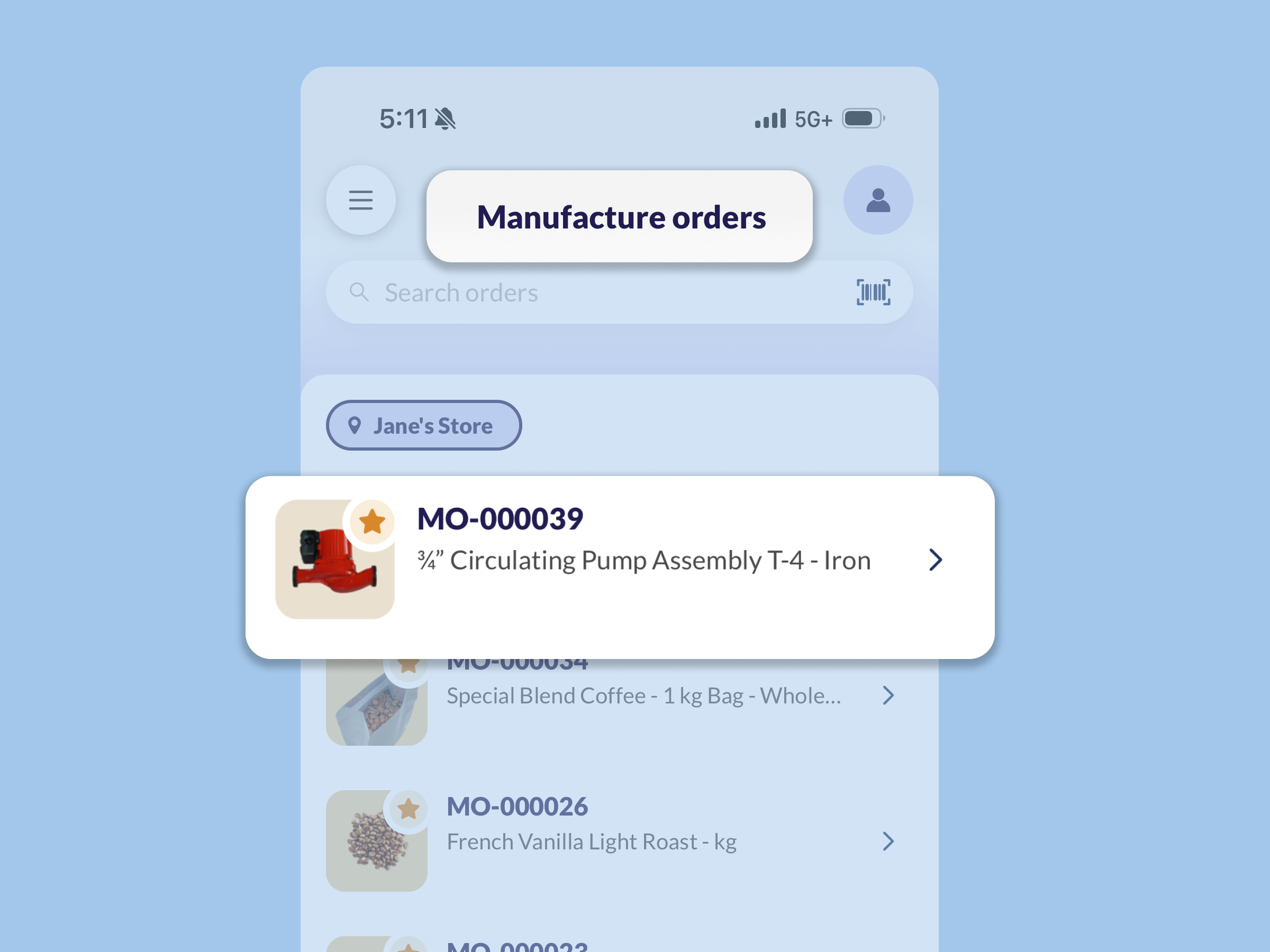
When you’ve got a busy shop floor with multiple orders on the go, it can be tough to tell how far along you really are. That’s the kind of problem we wanted to tackle with our production management features for web and mobile.
Manage production from the inFlow web app
Production management is really two features: operations and timesheets.
You can outline operations — the major steps involved in assembling a product — and track the cost of labor required to build a product. So you’ll have accurate costing on every finished product or kit that you make.
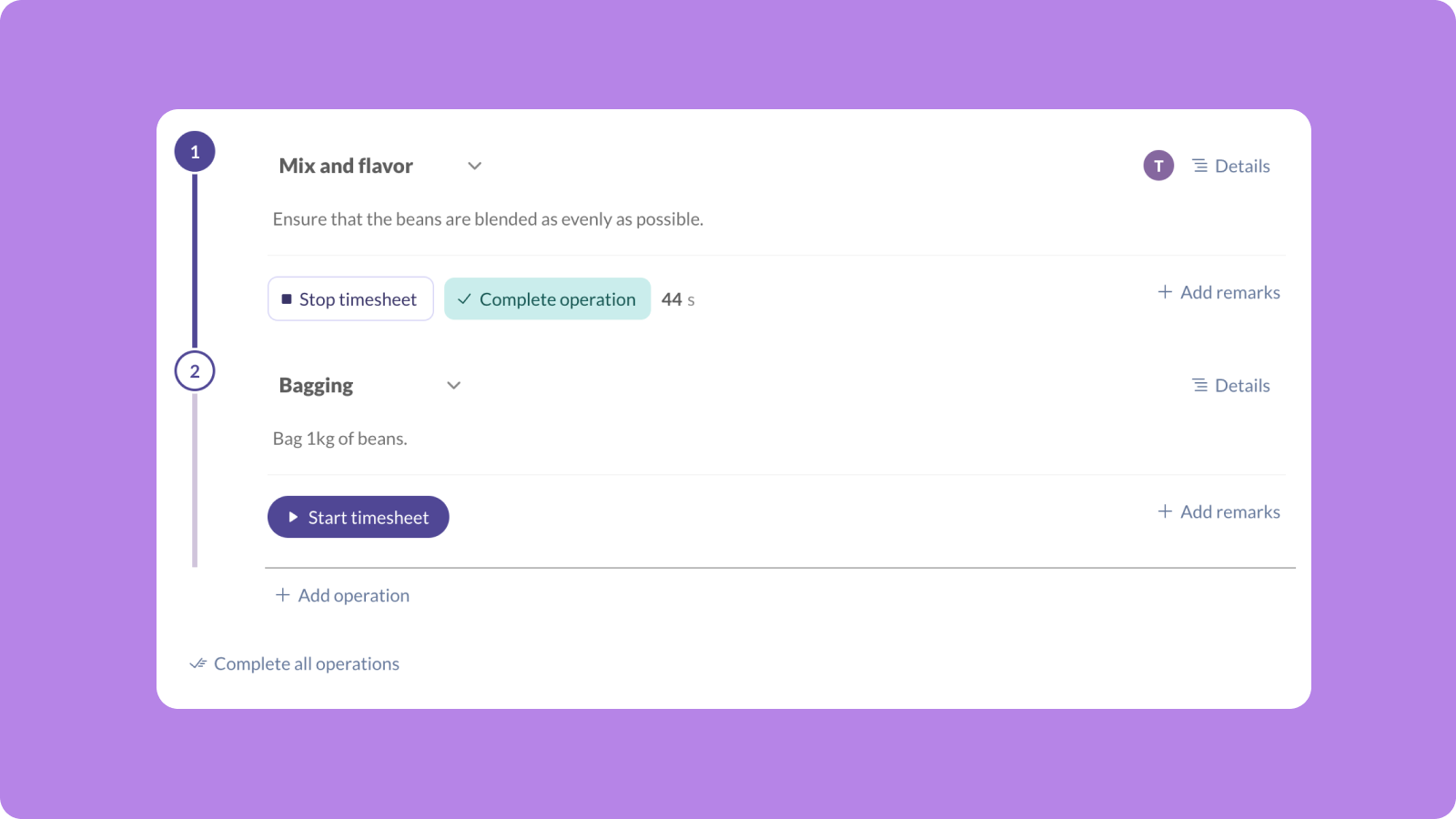
Every bill of materials (BOM) can have its own set of operations, and anyone who needs to work on a step like painting or wiring will have very easy controls to start and stop their timesheets. You can also specify each worker’s hourly rate so that you can track the cost of labor on each order.
All operations work is updated and saved in real time, so you can visit any manufacture order and see exactly how it’s doing right now.
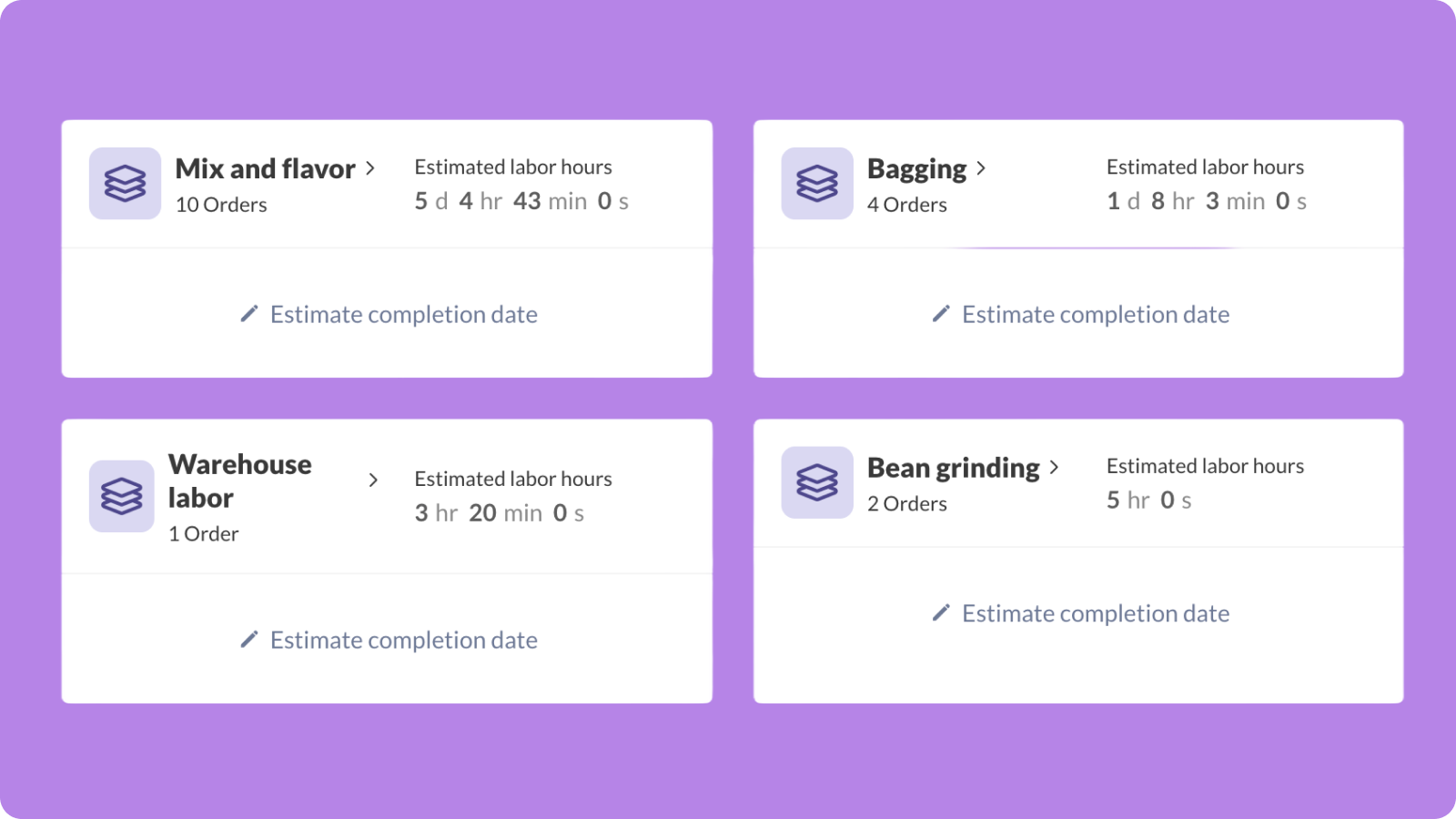
If you need a good overview of how much operational work you have overall, we’ve added a handy Current operations list that sums everything up, complete with time estimates.
This wraps up the production management features in the web app, but we know that many of you have been waiting on the mobile portion, so let’s get right into that!
Mobile manufacturing features come to the shop floor
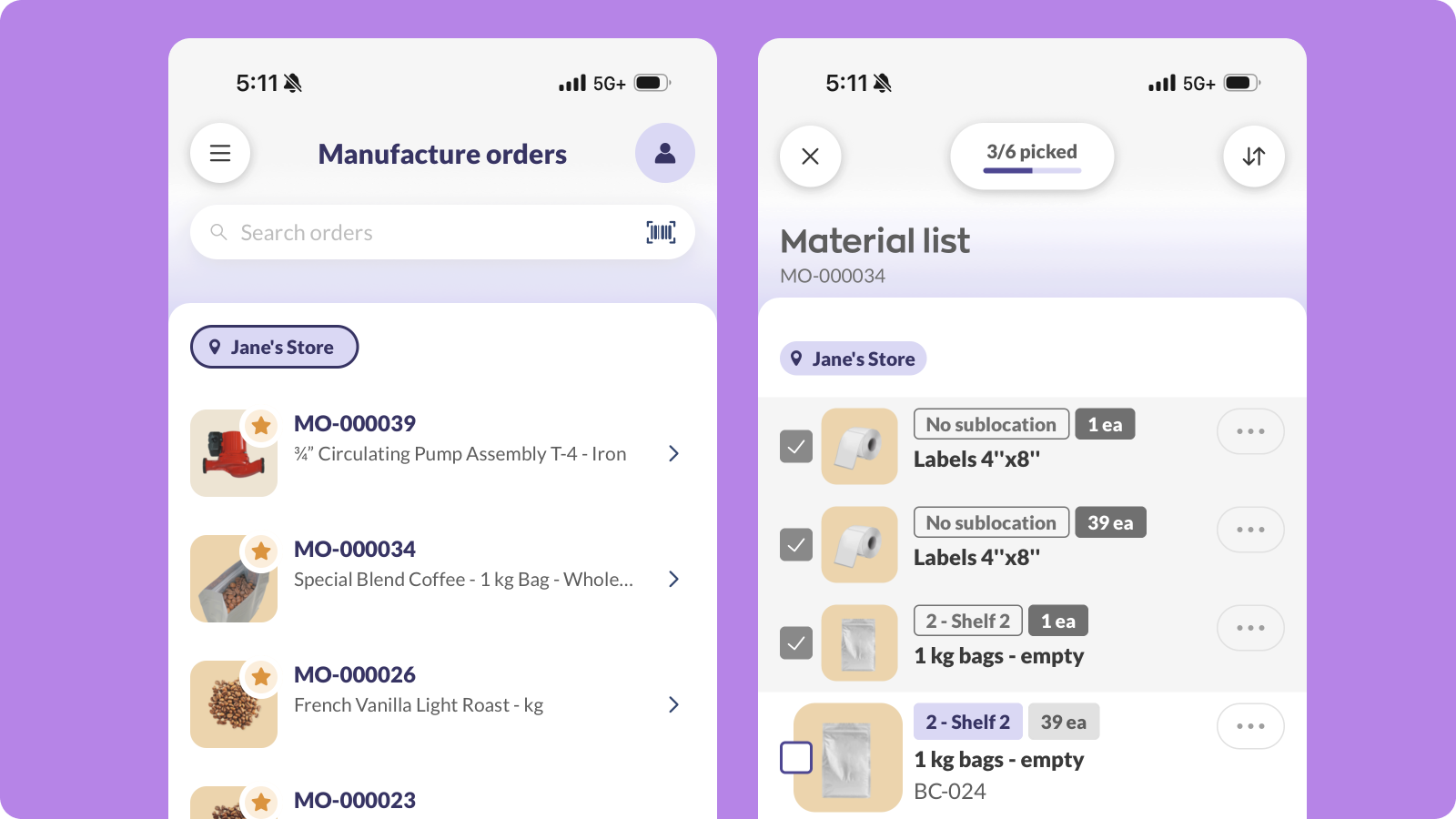
Now anyone working a job can open inFlow Mobile and record their work from start to finish.
Here’s what you can now do from your phone:
- See manufacture orders on mobile. Workers can pull up open manufacture orders and jump straight into work.
- Get guidance for picking. inFlow can direct team members to the right sublocations to pick raw materials and components for each build.
- Track any extra material usage. If a build ends up needing more components than were listed on the BOM, your team can record this, too.
- Track time on each operation. One tap will start a timesheet when work begins and another will stop it when you’re done, so labor time reflects what actually happened instead of an end-of-day estimate.
Workers can view each operation within a manufacture order in the exact order they’re supposed to be completed in. They can also choose to view only the tasks that are ready to start, which speeds up work and improves consistency.
Note: Production management is part of inFlow Manufacturing and works alongside your manufacture orders and bill of materials. If you’re already on an inFlow Manufacturing plan, production management is already included.
Production management on web and mobile is out now! Just make sure you’ve updated your mobile apps to the latest version to give it a try.
And if you’re not using inFlow for manufacturing and assembly yet, you can start a free 14-day trial below:
0 Comments