




We’ve released a lot of great inFlow updates in 2025!
Here are some significant changes from the past few months that you may not have heard about yet:
- Support for product variants (product matrices)
- Updated sales and purchase orders
- Expanded two-way sync with Zapier
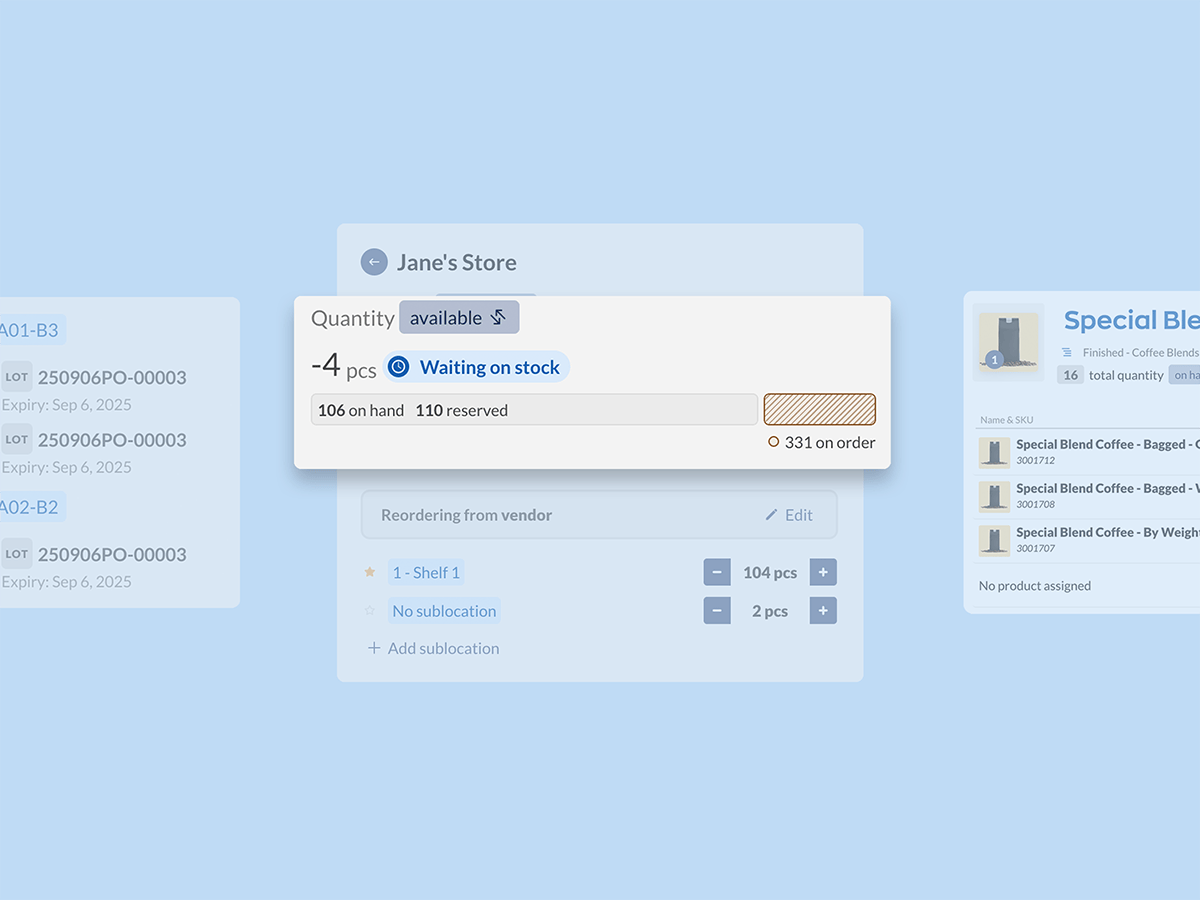
- A redesigned quantity tile on our product page
- A closed beta for lot numbers, batch numbers, and expiry dates
Product variants in inFlow
If you’ve ever bought a product that’s available in multiple sizes or colors, you know what variants are. They’re very common in retail and ecommerce businesses, and inFlow now supports them through Product groups.
You can add existing products to a product group, or make a new product group and all of its variants at once.
Product variants sit inside of a product group, and each one can have a different mix of options (like size, material, color, etc.).
We’ve also included support for WooCommerce variable products and Shopify variants to make inFlow a more reliable source of truth for your online sales. Let your online stores take care of the transactions and use inFlow to keep your inventory levels up to date.
Sales and purchase order redesigns
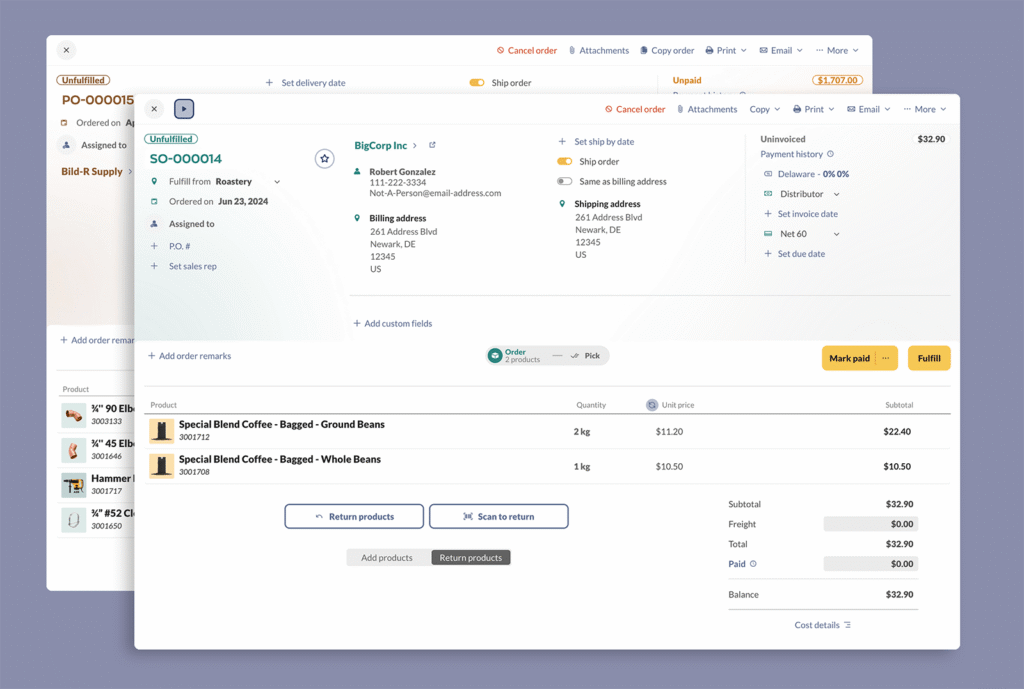
Our updated order screens now show more relevant information–like contact details, shipping info, and billing details–right in the order header.
Here are some other changes that you might find useful:
- We’ve updated the product picker to the one you’ve already been using in stock transfers/adjustments/counts
- You can now view a cost & profit breakdown (find it underneath the order total)
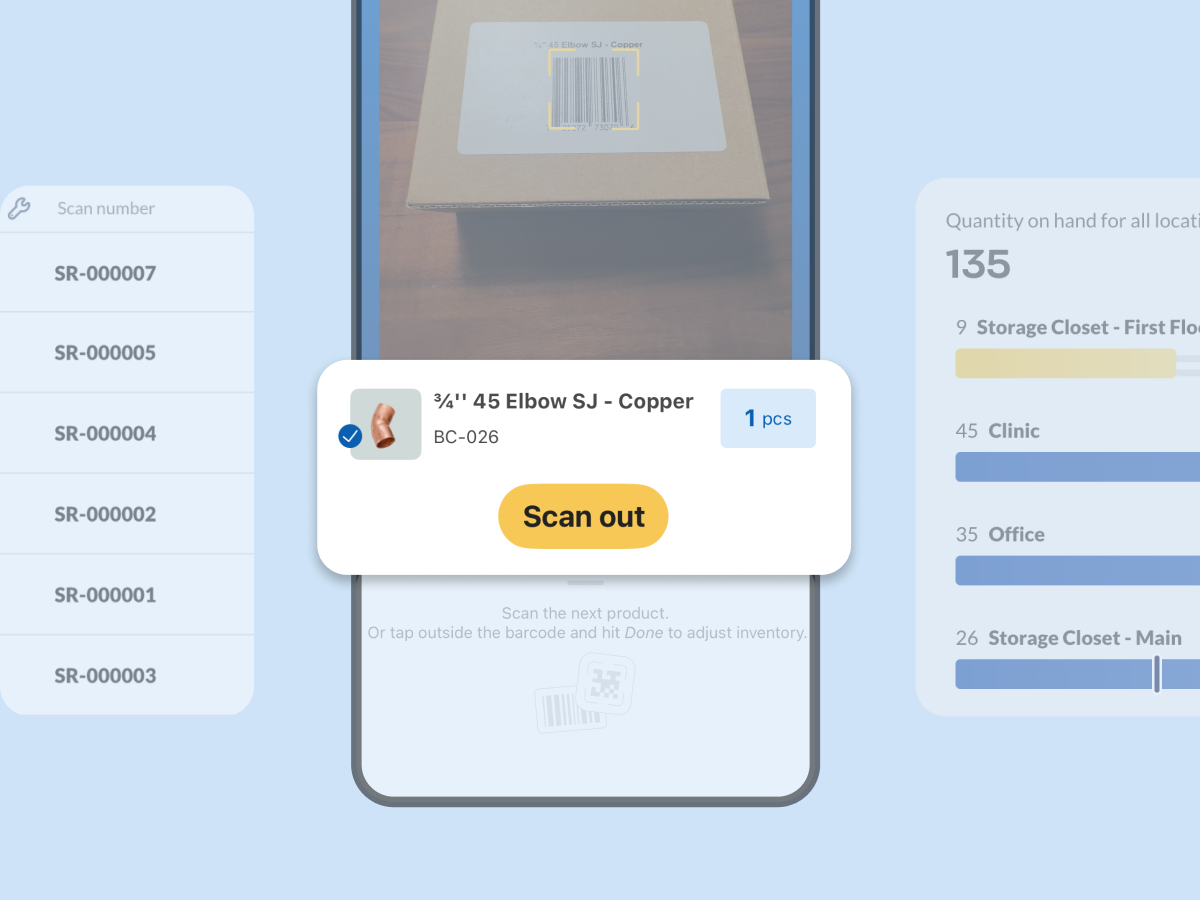
- There’s now a dedicated button to scan products onto an order
- You can now arrange and sort each column
- You can return products by using a toggle near the product picker, or by hovering near the subtotal.
- It’s now easier to ship multiple boxes and manage the contents of each box
Two-way sync and improved Zapier support
Zapier is a simple no-code way to automate your work with triggers and actions. Some customers use this integration to email invoices via Mailchimp (an action) after they’ve marked an order as invoiced (a trigger).
However, our previous integration with Zapier was push-only, which meant you could only send data from inFlow to Zapier.
Our latest update lets you pull information from Zapier back into inFlow, too. This unlocks a lot more potential for automation, allowing you to do things like:
- create your own custom order routing to fulfill shipments based on the shipping address of a customer
- create new customers or orders in inFlow based on data from a web form
- send inFlow orders to ShipStation for label creation and pull the tracking numbers back into inFlow
inFlow now supports 12 triggers and 56 different actions, which means you’ve got a lot more options for easy no-code automation.
Quantity tile redesign
We used to show three individual tiles for quantity by location, quantity breakdown, and reorder settings. Our new quantity tile combines all of these separate tiles into one area, with more flexibility viewing the details at each location.
You can now choose whether to view your Quantity on hand (what’s actually on the shelf) or Quantity available (what you have left based on current orders) across all of your locations. If you’d like more detail you can simply hover over a location’s quantity bar or click it to view that location.
While viewing a location you’ll now see its default sublocation (marked with a star icon) and its current reorder settings.
This updated tile design also paves the way for displaying lots, batches, and expiry dates.
Lot numbers, batch numbers, and expiration dates are coming to inFlow
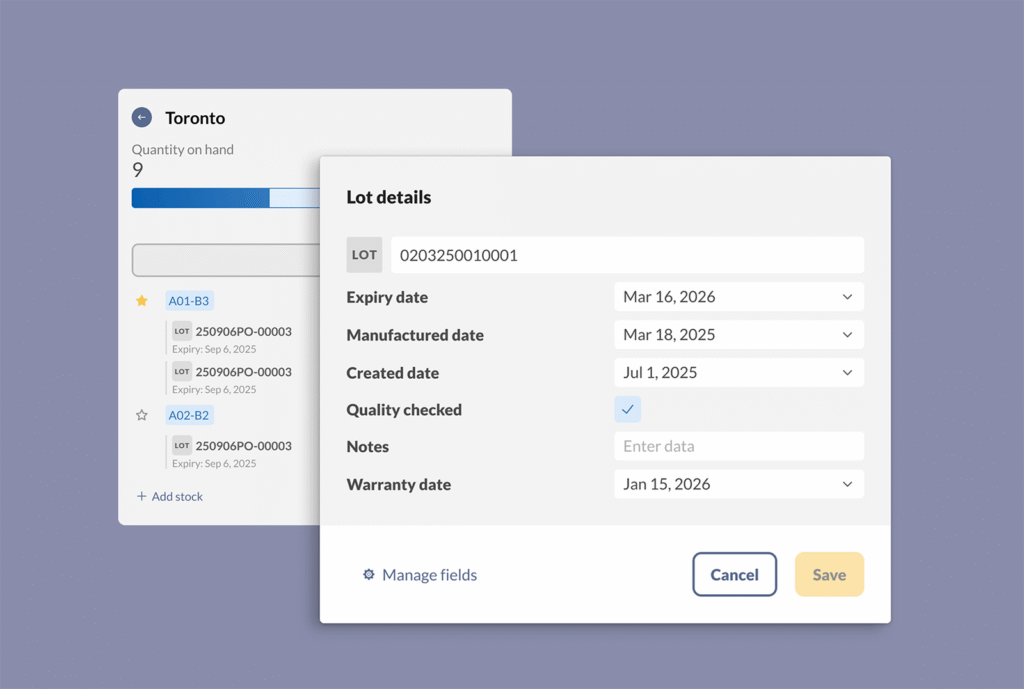
Support for lots, batches, and expiration dates has been one of the most requested features in the history of inFlow. Implementing this level of recording has been a lot of work and we’re still not at the home stretch yet.
But we are sharing the news in case any trialers or current inFlow customers would like to try it out. Tracking lots, batches, and expiration dates will require some permanent changes to products, so we’re keeping this beta opt-in only.
If you’re on trial, reach out to sales@inflowinventory.com to join the beta. If you’re an inFlow customer already, you can book a meeting with your CSM from the Account page in the web app.
This wraps up our major inFlow updates for 2025, but we’ve got even more planned for 2026.
Thank you to everyone who continues to use inFlow to manage your inventory and orders. Your trust means a lot to our small business.
And if you’re not using inFlow yet, you can start a free 14 day trial below:

0 Comments